Getting Started › Admins › New feature
Assign teams of patrollers to a template
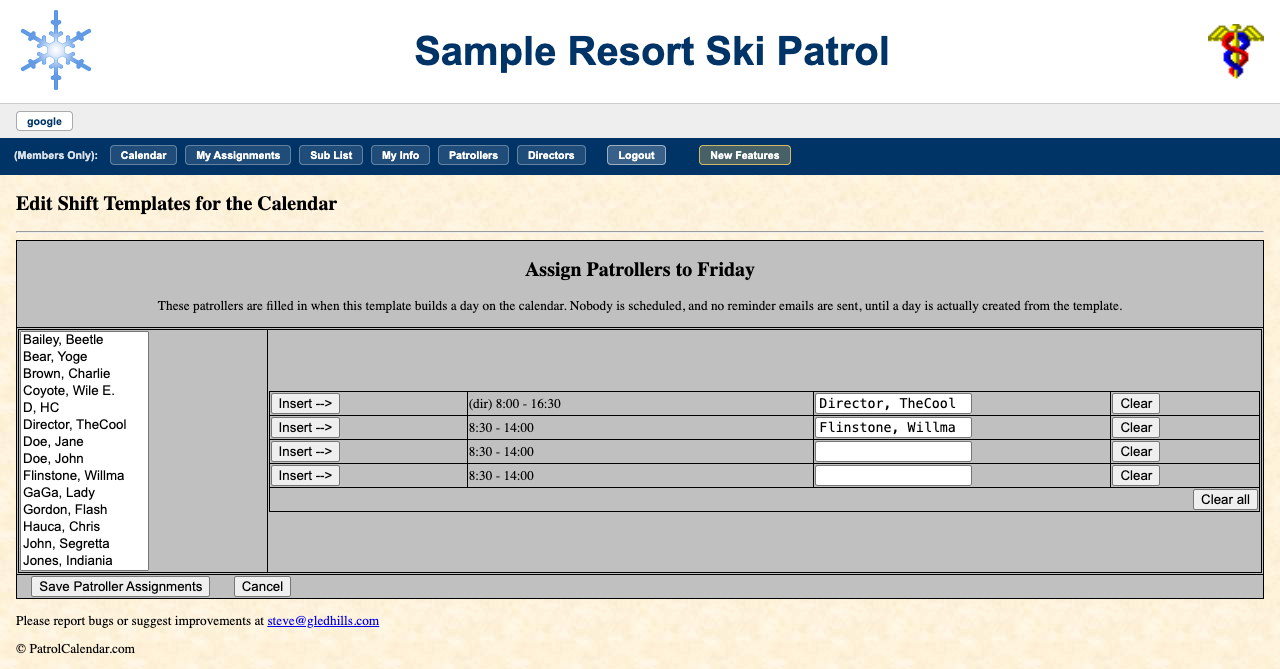
If your patrol schedules by teams, pencil people into a template rather than into one day at a time. Pick the template, press Assign Patrollers to this template, and fill the slots from the roster list with Insert -->.
Those names are a starting point, not a schedule. Nobody is scheduled and no reminders are sent until the template is used to build a real day. Names already on a day are never overwritten.
Step-by-step example: a three-person Saturday team, applied December to April →
Read the full admin guide · Back to the index
PatrolCalendar is shift scheduling for ski patrols, maintained by one volunteer patroller and free to use. Questions or problems: Steve@Gledhills.com. Screenshots are from the Sample resort.