Getting Started › Admins › New feature
Apply a weekday template across a range of dates
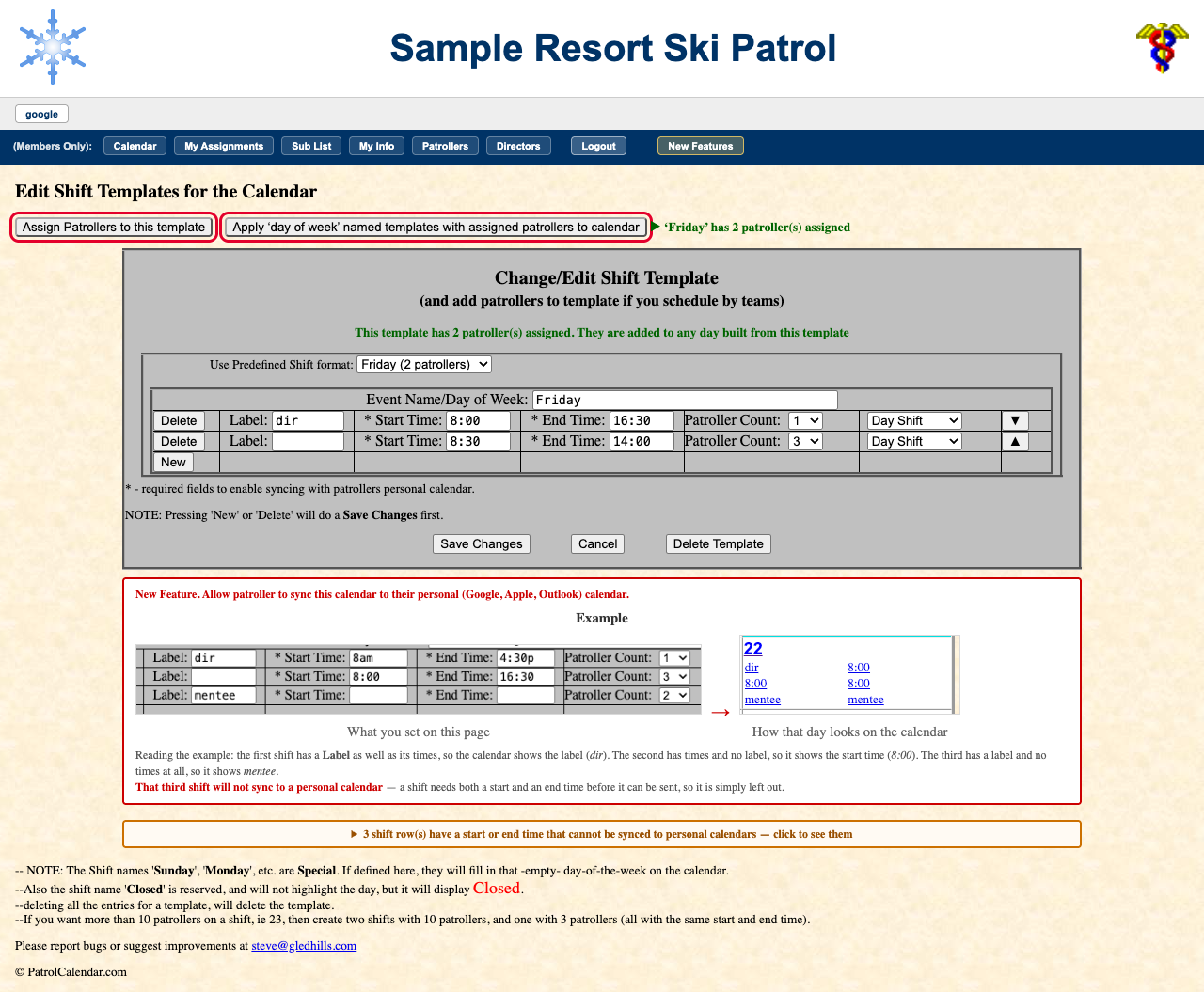
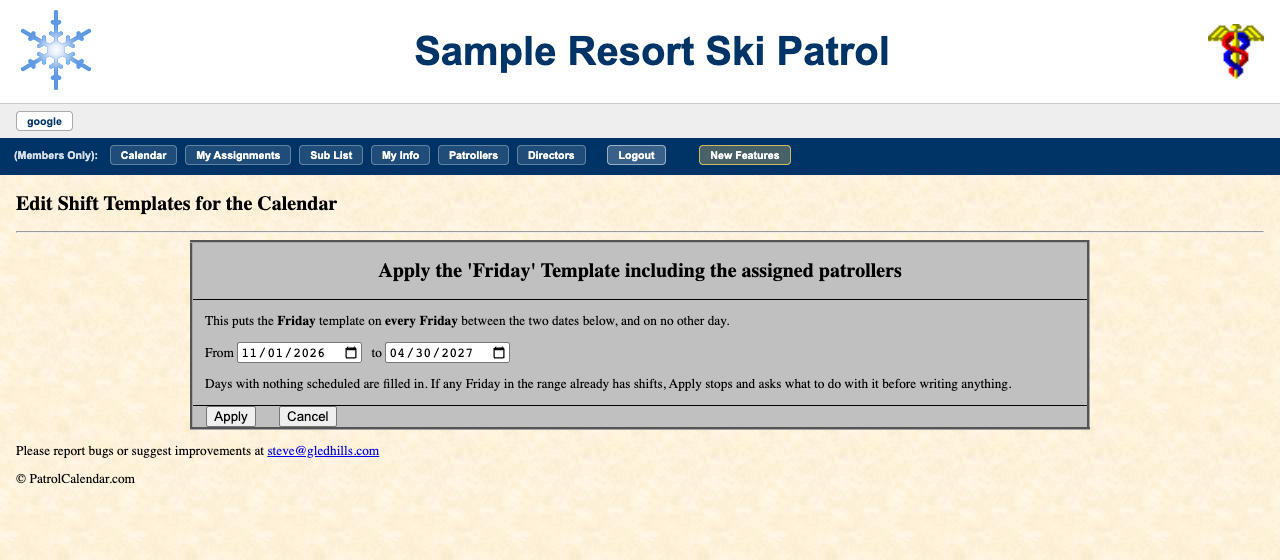
Put a template, and its team, onto every matching day between two dates in one go. A Friday template lands on every Friday in the range and nowhere else.
The button is greyed out unless the template is named for a weekday and has patrollers assigned. (A weekday template with nobody on it does not need applying: the calendar already draws it on every matching day in your season.)
Days already scheduled are never quietly rewritten. If any matching day already has shifts, the page stops, lists those dates, and asks whether to skip or overwrite them. Skip is pre-selected. Overwrite deletes those days' shifts and the patrollers on them.
Step-by-step example: a three-person Saturday team, applied December to April →
Read the full admin guide · Back to the index
PatrolCalendar is shift scheduling for ski patrols, maintained by one volunteer patroller and free to use. Questions or problems: Steve@Gledhills.com. Screenshots are from the Sample resort.